 Sign up with Google
How to Give Premium App Access to Creators
Grant creators premium access to your app so they can make better content.
Creators make noticeably better content when they can actually use your app, especially its paid features: demos look real, reactions are genuine, and formats like Hook + Demo depend on it. There are two ways to give creators access.
Option 1: Create a public TestFlight link (iOS)
A public TestFlight link lets any creator install a beta build of your app with premium features unlocked, without you managing individual invites:
- Log in to your developer account at App Store Connect.
- Select the app you want to share.
- Open the TestFlight tab for the app.
- Fill out the required test information if prompted (Beta App Description, Feedback Email, Contact Info).
- Upload a beta build (via Xcode or your CI) and submit it to TestFlight App Review. The first build for external testing requires approval.
- In the Testers section, click the + icon next to External Testing to create a new group (for example "Public Testers"), and select it.
- In the group's details, scroll to Builds and add the approved build.
- In Tester Management for that group, click Enable Public Link.
- Click Set Tester Limit (up to 10,000), then copy the public URL.
Share the link with creators through your campaign details (below).
Option 2: Provide a login username and password
If a shared test account is easier (or you need to grant access on Android), create one with premium features enabled and share the credentials through your campaign: when creating or editing a campaign on Noise, use the free-form brand details box to include the login information. Creators on the campaign see these details in the app.
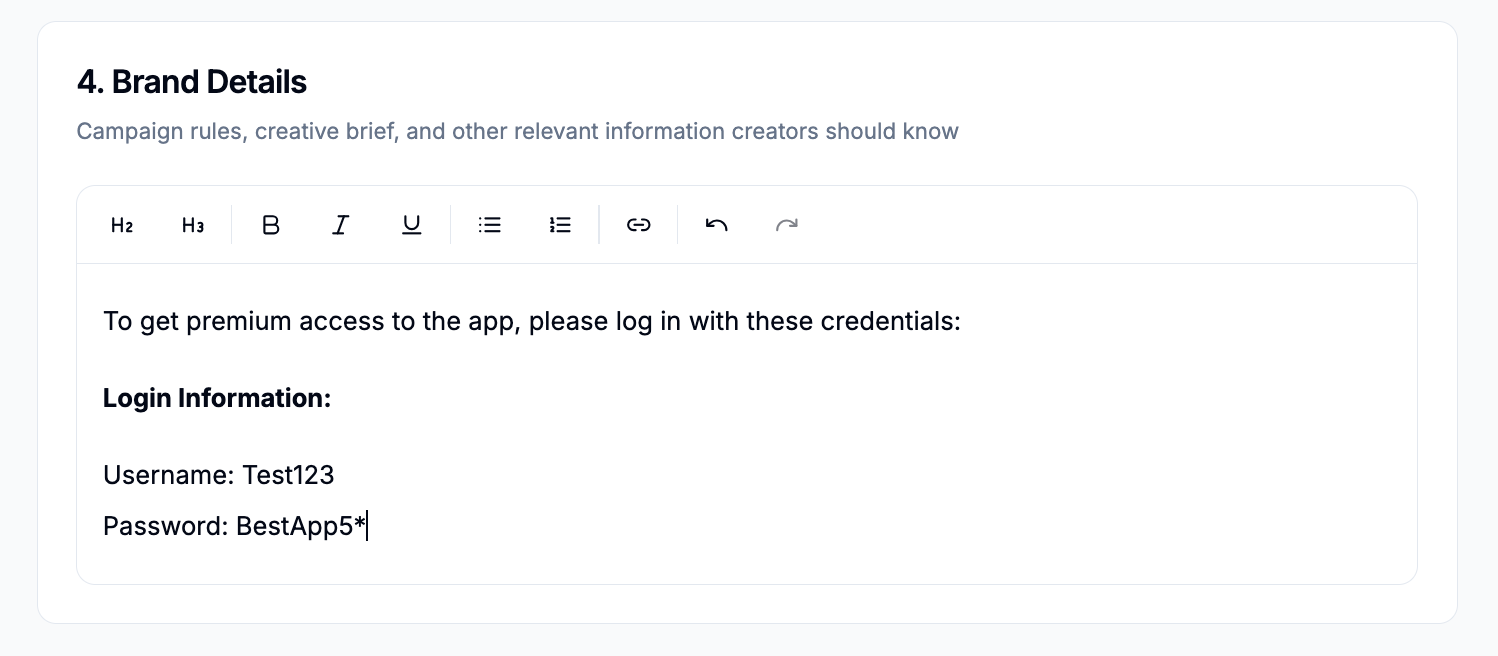
Use a dedicated test account for this, not a real customer or admin account: the details are visible to every creator on the campaign, and you will want to be able to rotate the password without affecting anything else.