 Sign up with Google
How to Make a Campaign
Create and launch a campaign, step by step.
A campaign groups your playbooks under one strategy, with its own budget, payout rates, target countries, and platforms. Campaigns are also where you choose which type of creator you want to work with; see Campaigns for the creator types and how pricing works. Brands commonly run several campaigns to split-test content types, compare creator tiers, or give separate budgets to different creative strategies.
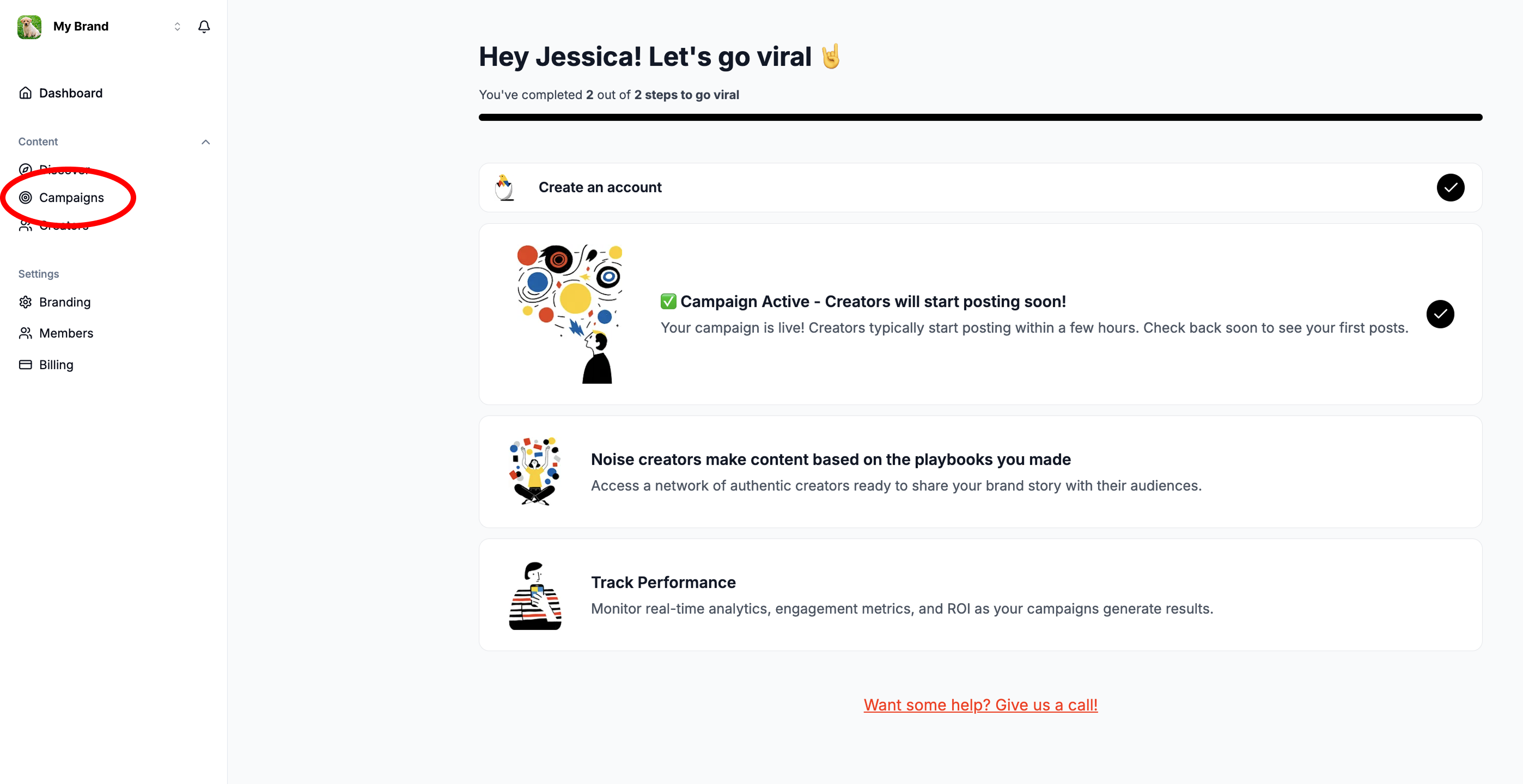
Step 1: Open the Campaigns tab
Click Campaigns in the left-hand navigation of your Noise dashboard.
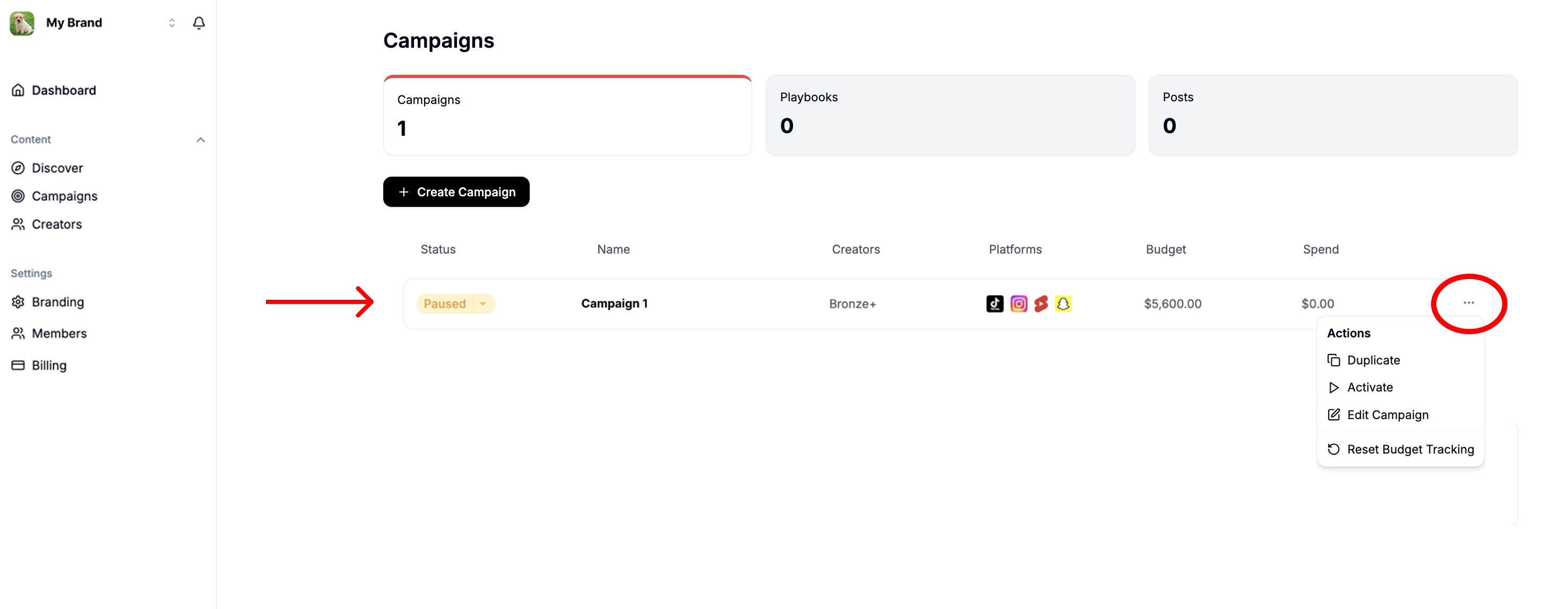
Step 2: Open your campaign
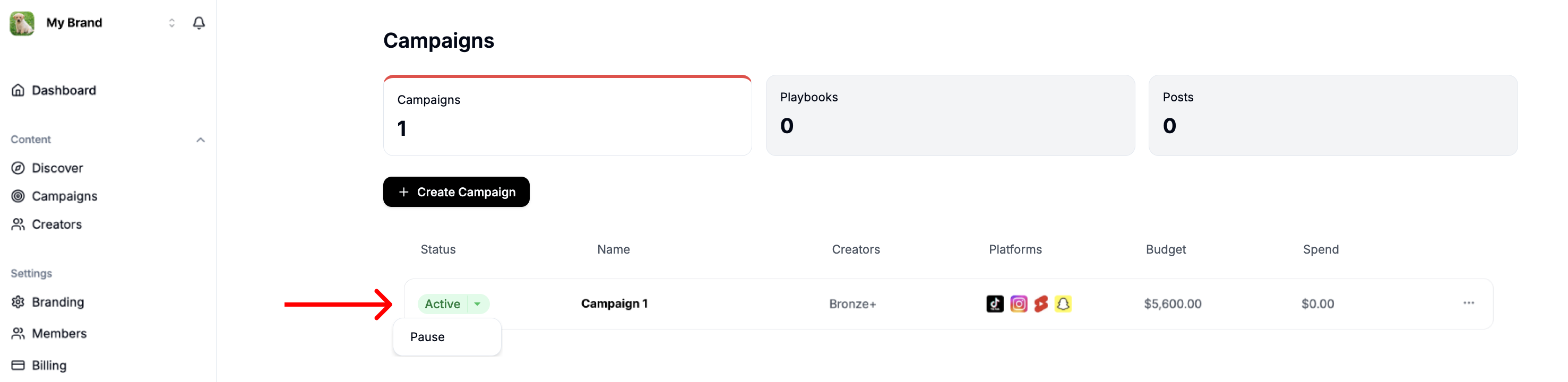
Your dashboard comes with a premade campaign. Click the three dots next to it and choose Edit Campaign to set it up.
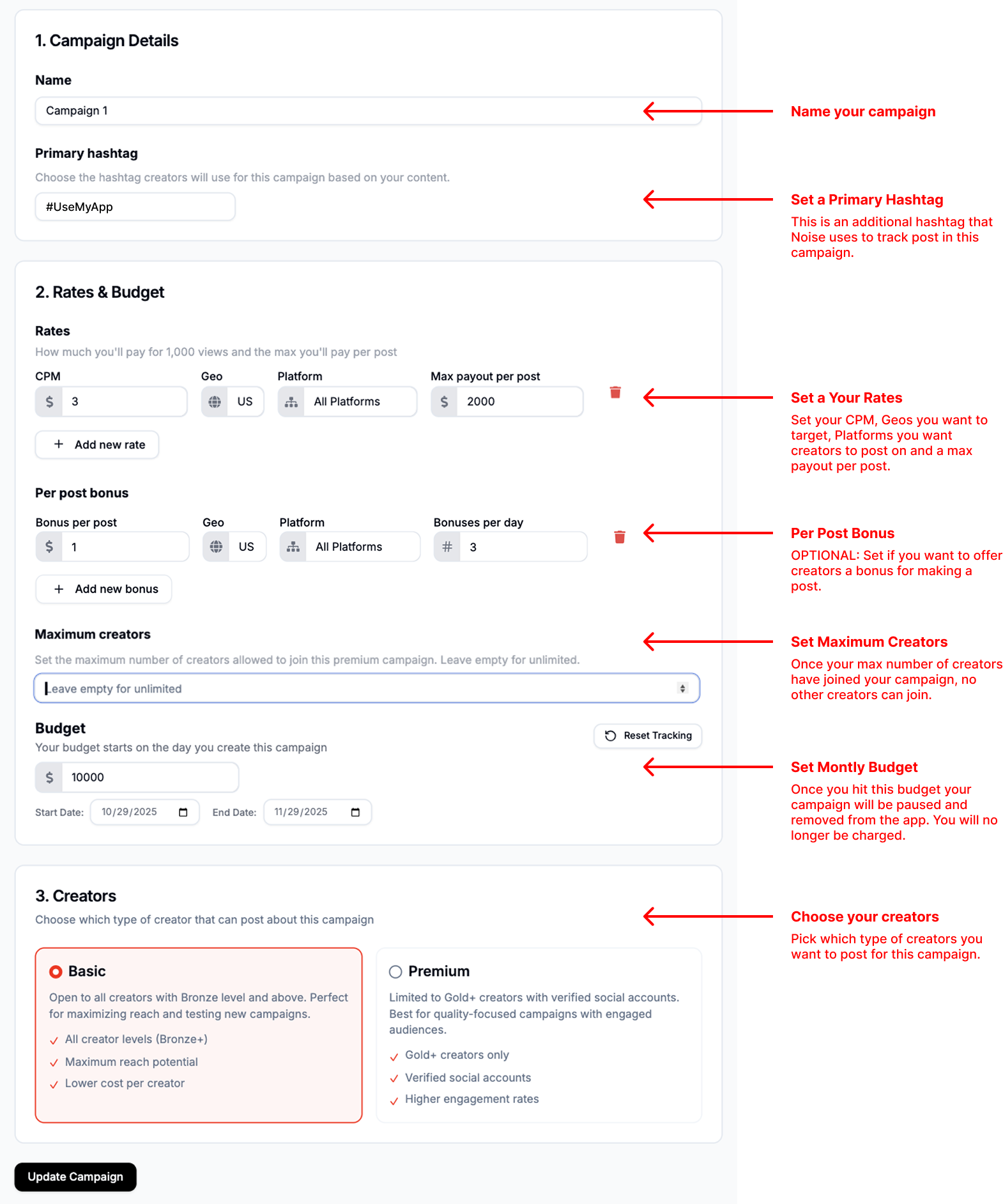
Step 3: Set your configuration
Work through the editor sections: name your campaign, set the primary hashtag, choose your budget and rates, and pick which type of creator can post for it.
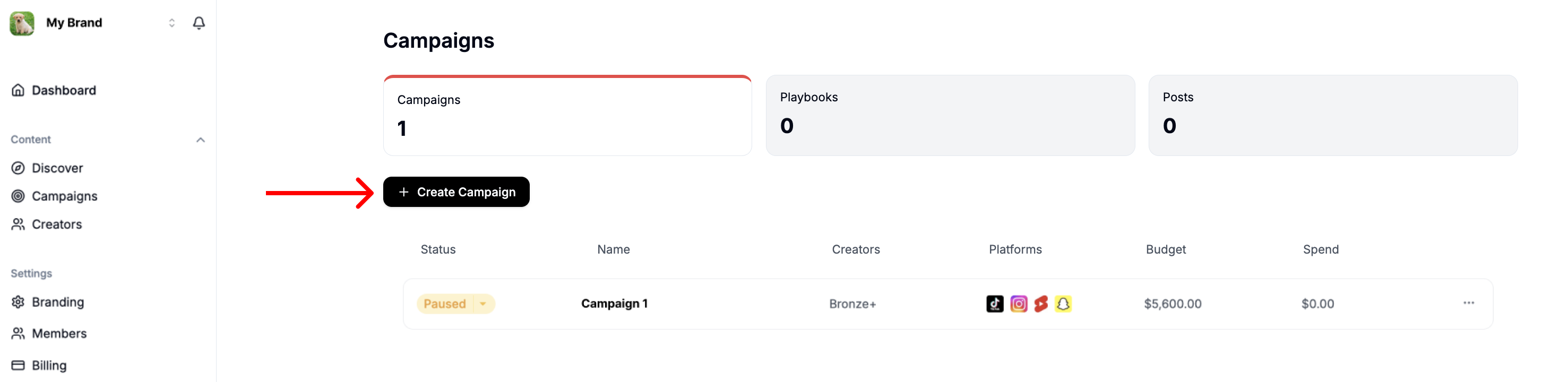
Step 4: Add more campaigns (optional)
Click + Create Campaign in the Campaigns tab to create another campaign. New campaigns use dynamic pricing by default: you set a daily budget and Noise handles the rates (see how pricing works). There is no limit to how many campaigns you can run.
Step 5: Make your campaign live
Switch the campaign from Paused to Live and creators can start posting. You can pause or edit your campaign at any time.
FAQs
What is a good budget?
Your budget is flexible and entirely up to you. Keep in mind that once your budget is fully spent, your campaign is paused and removed from the app. To maintain a positive relationship with creators, we recommend setting a budget that will not run out unexpectedly.
What is a good CPM?
If you set rates yourself on a fixed-rate campaign, the best CPM is ultimately what works for your company's goals and budget. As a general benchmark on Noise, open campaigns average around $2 CPM, and Dedicated campaigns average around $5 to $8 CPM.
What is a Primary Hashtag?
The primary hashtag is used by creators in their post caption so Noise can track which campaign the post belongs to; it determines the correct payout for each post. It is in addition to your brand or marketing hashtags and should be unique to the campaign.
How do I add multiple geos?
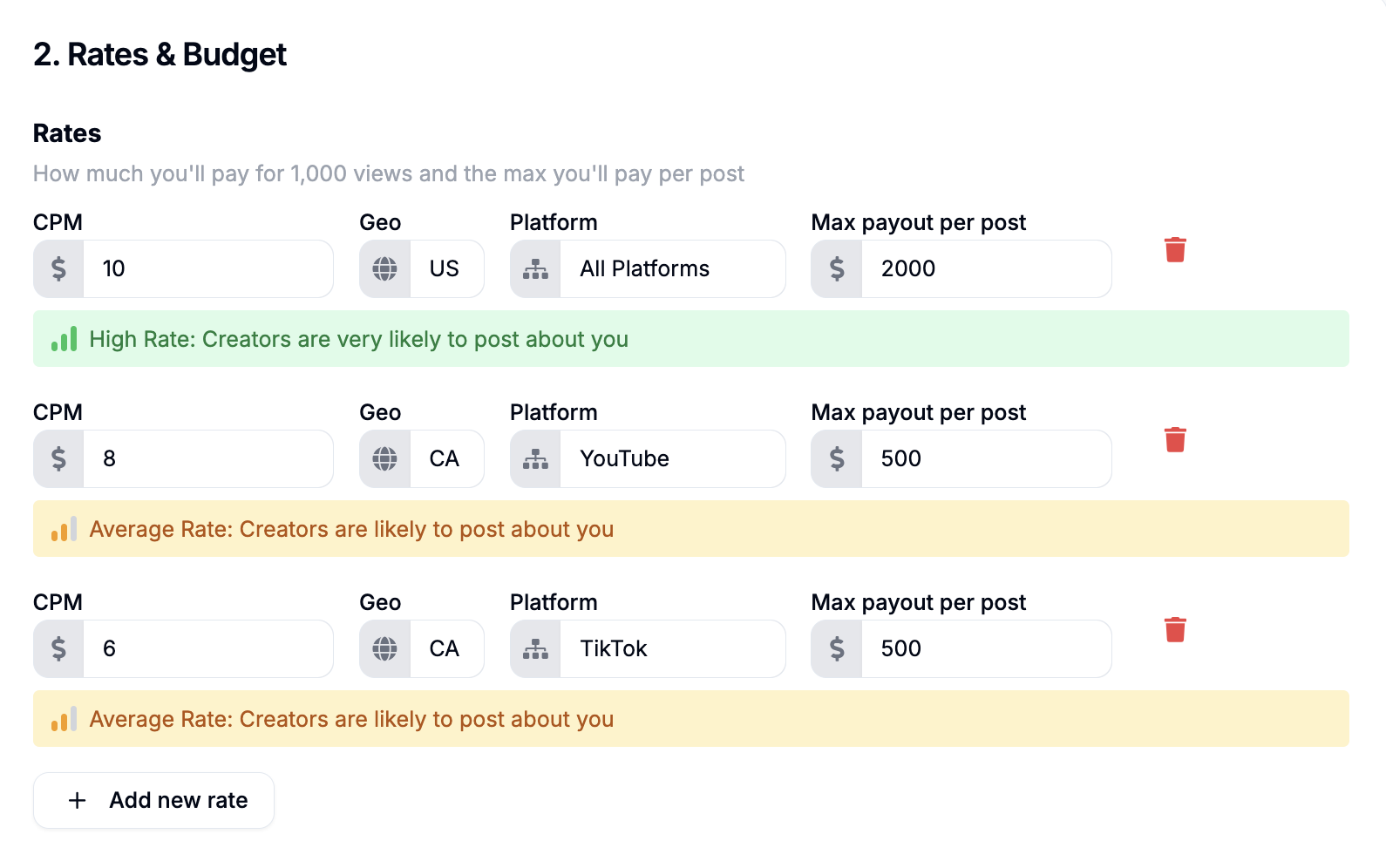
On a fixed-rate campaign, use the + Add new rate button to add more geographies and platforms, with a different rate for each if you like.
What is a Per Post Bonus?
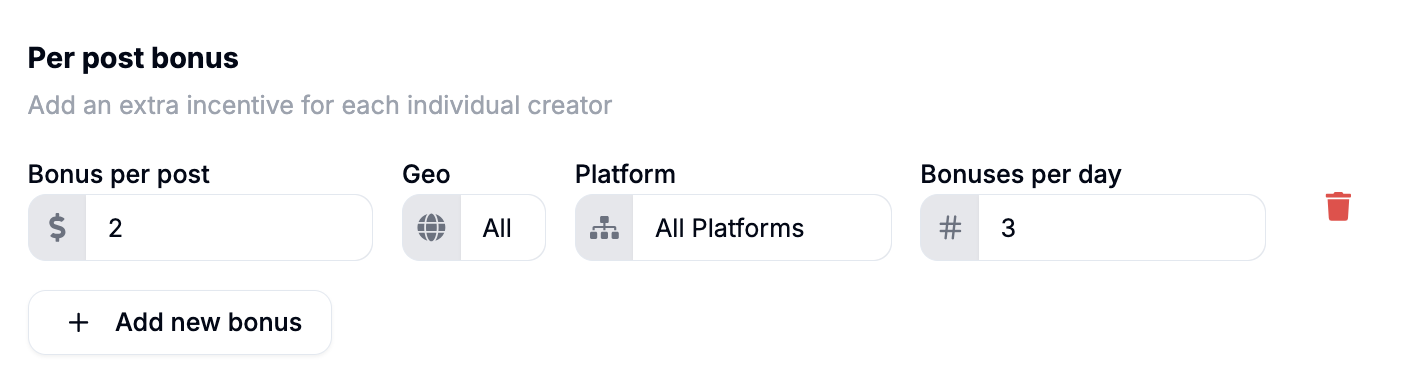
An optional flat fee paid to creators for each post they make on a fixed-rate campaign. Bonus per post sets how much you pay per post; Bonuses per day caps how many times per day one creator can earn it. For example, to pay $2 per post for up to 3 posts per creator per day, set Bonus per post to $2 and Bonuses per day to 3.
How many Max Creators should I have?
We recommend leaving Maximum creators empty to maximize volume and creative diversity. If you get more posts than expected, you can always come back and set a limit.
How many campaigns can I have?
There is no limit to the number of campaigns you can create.